


 UK
UK 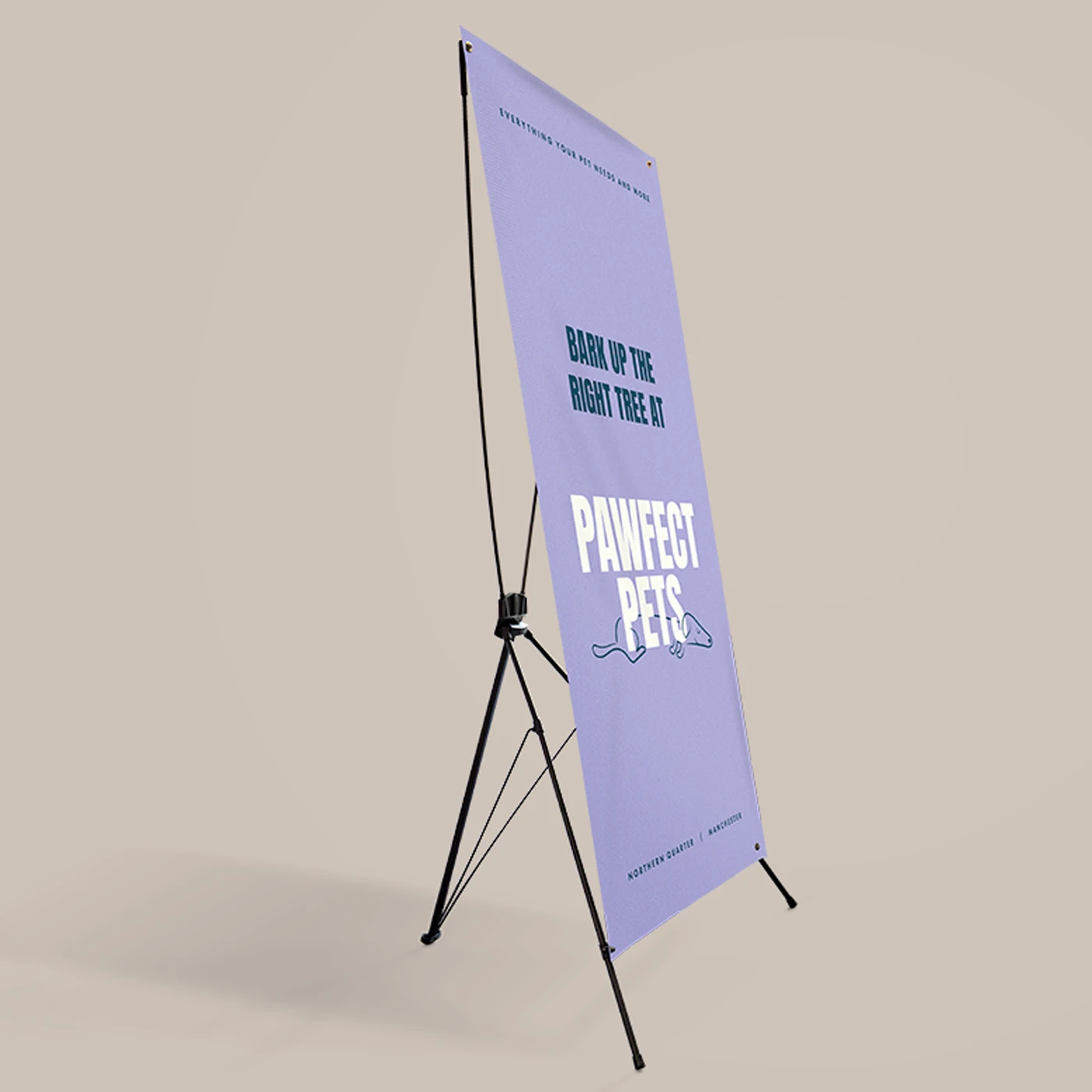
X Frame Banners
From £ 39.00 (ex VAT)

 4.6
4.6
- Black lightweight hardware
- 800mm x 1800mm portrait Banner
- Download easy assembly instructions here
Customise your product to your exact specification. We’ve got all the options you need to bring your print to life. Let’s make it real!

Our stocks
Find your perfect match

PVC Banner
Weatherproof and tear-resistant, this Banner material is perfect for all kinds of outdoor signage. No matter the season, a PVC Banner is up to challenge.


PVC Banner
Weatherproof and tear-resistant, this Banner material is perfect for all kinds of outdoor signage. No matter the season, a PVC Banner is up to challenge.
Available weights
- 450gsm
Best For
- Event advertising
- Outdoor advertising
- Exhibition graphics
Credentials
- Weatherproof
- Tear resistant
Guide to perfect print
Get your print to the presses perfectly with everything you need to get set up
Sample Packs
Get a feel for our range of quality products, papers and special finishes in our free Sample Packs.
Downloadable Templates
Use our free templates to create your artwork and make sure your print is set up perfectly for the presses.
Bespoke Service
Can’t find the print you’re looking for? From unique papers to custom sizes and finishes, our Bespoke Team can help with your request.
Safe area
Templates
- X Frame Banners
- No elements found. Consider changing the search query.
- List is empty.
- X Frame Banner
- No elements found. Consider changing the search query.
- List is empty.
- Illustrator
- InDesign
- No elements found. Consider changing the search query.
- List is empty.
Quick tips to print perfection



Where large format comes to life
Behind every order is a dedicated facility run by a team that lives and breathes large format print. Years of experience, market leading equipment, and a process refined to give you consistent high quality — so you can hand over your project and know it's in professional hands.
Explore More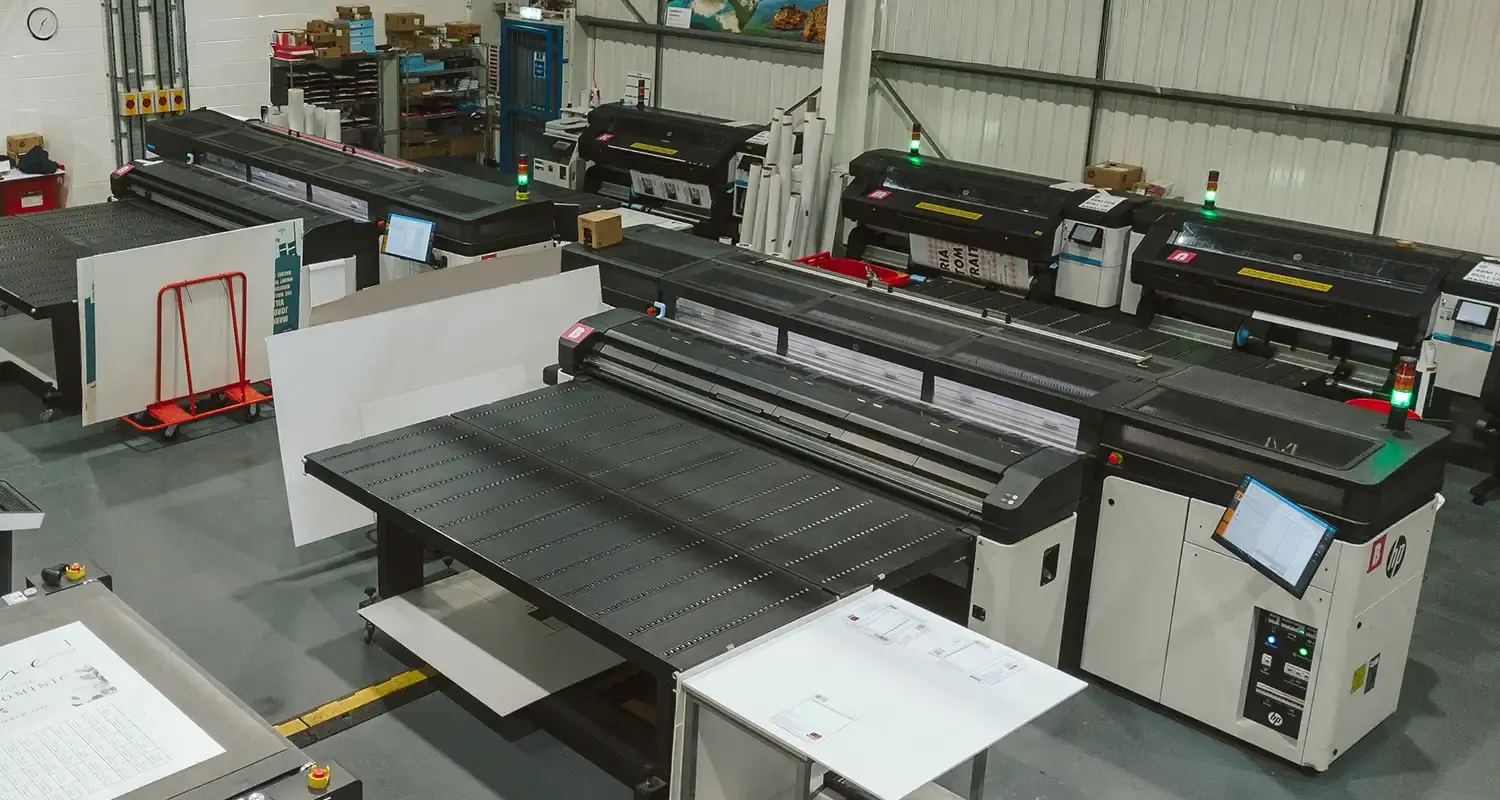
More information
Discover the perfect solution for your next event with our X Frame Banners. Ideal for trade show exhibitors, small business owners, and event planners, these Banners are both portable and easy to assemble, requiring no tools. Lightweight yet durable, each Banner is crafted from robust PVC material and comes complete with a carry bag for effortless transportation. Measuring 800mm x 1800mm, the full-colour printed Banner ensures vibrant and eye-catching displays to capture your audience's attention. With the option for Replacement Graphics, you can easily update your message without needing new hardware. Choose our X Frame Banner for unbeatable convenience and striking visual impact. Enhance your brand presence with our innovative X Banner printing solutions today.
Frequently asked questions
Got a question? We might have answered it here. If not, feel free to get in touch with The Team, we’re here to help!
How long will my print take to arrive?
Find out how quickly you can get your print by filling in your selected options in the product builder, and check out the delivery options at the bottom. You can also explore the available delivery options from your basket once you’ve added a product.
What should I know before preparing artwork for print?
What is a Professional File Check?
For a small fee, an expert member of our technical team will manually review your artwork before it goes to print so you can press 'go' with complete confidence.
- Image resolution for print quality
- Bleed and safe areas
- Page count and page order on folded products
- Corrupt, blank or password-protected files
- Templates left on artwork
- Folds, cut lines, drill holes and binding areas (where applicable)
- Foil alignment and minimum line widths (where applicable)
- Personalisation files and version quantities (where applicable)
- Spelling, grammar or proofreading
- Design, layout or text sizing advice
- Colour accuracy or colour mode checks (RGB/CMYK)
- QR code testing
- Calendar date checks
- Post-print quality inspection beyond our standard production processes
What are X Frame Banners?
X Frame Banners are a fantastic display solution that’s both versatile and portable - perfect for trade shows and corporate events. They feature a lightweight yet sturdy X Frame that securely holds your printed Banner in place. Plus, X Banners are designed for easy assembly and disassembly, so you can set them up and take them down in no time.
What are the dimensions of the X Frame Banner?
Planning your event space and logistics is key. Here's a breakdown of the banner's display area and hardware dimensions - both when assembled and packed away.
- Graphic Size: 800mm x 1800mm
- Height: 1850mm
- Width: 815mm
- Depth: 700mm
- Height: 1200mm
- Width: 130mm
- Depth: 50mm
How do I assemble my X Banner?
- Unpack Your Kit: Start by laying out all the parts of your X Frame Banner kit, including the frame, Banner, and bolts. Make sure you have everything you need before beginning.
- Attach the Banner: Position your Banner onto the tension frame. Use the bolts to secure it firmly onto the frame.
- Adjust the Base: The bottom two bolts at the base of the frame are adjustable. You can tweak these to perfectly fit your Banner size and achieve your preferred tension. This ensures that your Banner is displayed taut and wrinkle-free.
- Double-Check: Once everything is screwed in place, give your Banner a once-over to ensure it’s securely attached and looks polished.
What material is used?
Our PVC Banners are crafted from high-quality, weatherproof, and tear-resistant material. This makes them an ideal choice for all types of outdoor signage, whether it's rain or shine. Featuring a weight of 450gsm, these Banners are perfect for event advertising, outdoor promotions, and exhibition graphics. Designed with durability in mind, they stand up to the elements, ensuring your message gets seen by all.
What is the weight of the X Frame Banner?
We know that carrying heavy equipment to events can be tiring. To simplify your travel logistics, the X Frame Banner is designed to be incredibly lightweight and portable.
- Complete set (hardware and graphic): Just under 2kg
- Hardware only: Approximately 1.2kg



X Frame Banners
Product
Product
X Frame Banner Hardware
X Frame Banner Hardware
Size
Size
Orientation
Orientation
Printed sides
One side: Print your design on one side of the product only. The reverse side will remain unprinted.
Both sides: Print your design on both sides of the product. Choose this option when you want to apply a design on both the front and back.
Printed sides
One side: Print your design on one side of the product only. The reverse side will remain unprinted.
Both sides: Print your design on both sides of the product. Choose this option when you want to apply a design on both the front and back.
Material
Paper
Quantity
If there is a paper stock, size, quantity or finish you want but can't find, fill in our bespoke order form or contact our team .
The options you have chosen mean that your leaflets will be delivered creased but not folded. If you'd like your print to arrive already folded, please enter a lower quantity or a lighter paper weight.
Extras
Eyelets
What does it mean?
Eyelets will be placed in each corner of your banner. Banners over 1m will have an eyelet approximately every 500mm.
Eyelets
What does it mean?
Eyelets will be placed in each corner of your banner. Banners over 1m will have an eyelet approximately every 500mm.
Select your Delivery options
Delivery type
As you have previously selected a delivery option for a previous product we have grouped these items to lower your delivery costs. Due to the items added to your basket we are no longer able to offer your selected delivery option. Please reselect your delivery from the options below. If you are sending to multiple addresses you can ungroup your items.
Delivery type
The paper you have chosen is not available at this quantity.
To keep your paper choice please enter a quantity than .
- PVC Banner - 450gsm
For documents with this number of pages, the maximum quantity available is units.
If you require a larger quantity, please reduce your number of pages to less than 1 or get in touch with our Bespoke Team.
This reorder job does not allow editing the original artwork. You may still upload a new piece of artwork but doing so will remove the original artwork. Do you want to continue?