
Artwork Help & Print Tips, Branding & Marketing
Business Card Printing: Everything You Need to Know
Business Card printing involves choosing the right size, shape, paper stock, weight, lamination and finish for your needs. Printed.com offers a wide range of Business Card choices from folded and Mini Cards to specialty paper stocks and premium finishes like foiling and spot UV.
Few marketing tools have stood the test of time quite like the Business Card. Compact, tactile and instantly personal, a well-printed card can make a lasting impression long after a handshake. But with so many printing options available sizes, shapes, paper stocks, lamination and finishes, it can be hard to know where to start.
This guide covers everything you need to make an informed decision, whether you’re ordering for the first time or looking to upgrade your current cards. From standard specs to special finishes, we’ve pulled it all together in one place.
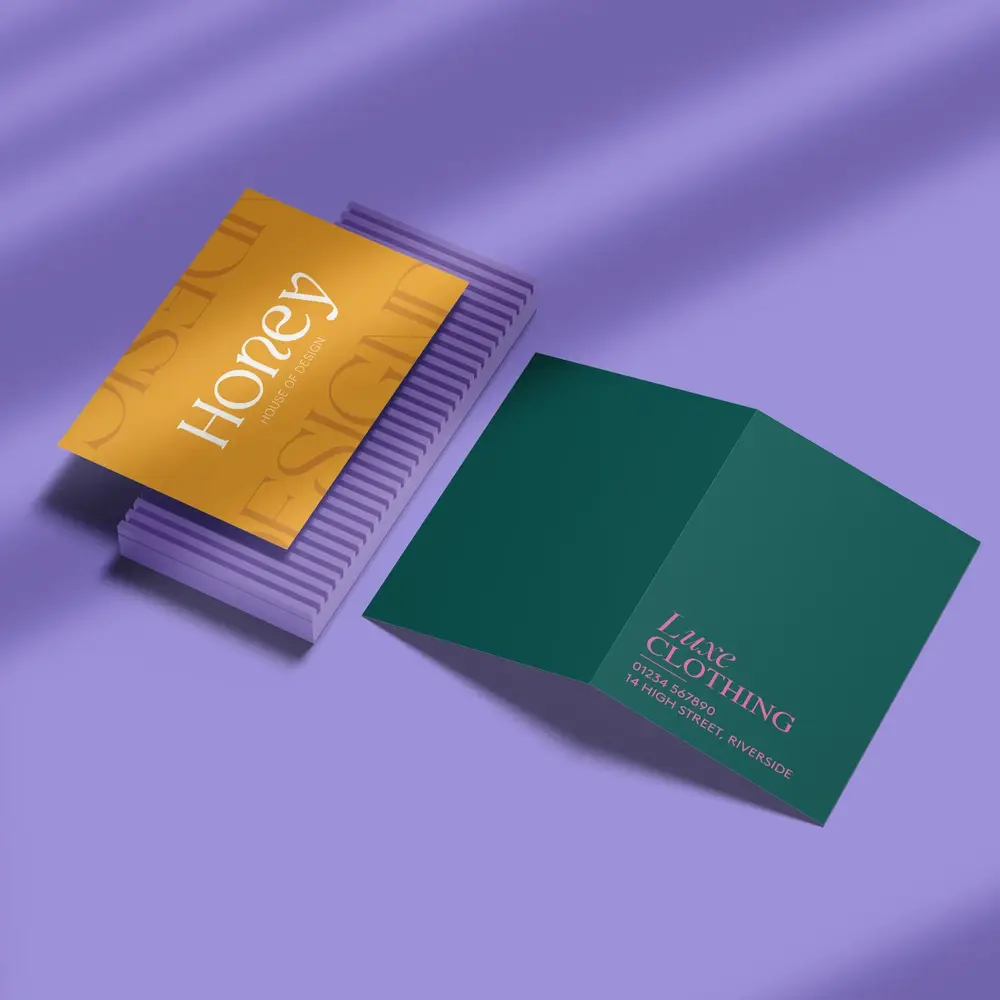
Table of Contents
What is the Standard Business Card size?
What Business Card type should I choose?
What shapes can you choose for Business Cards?
What paper stocks are available for Business Cards?
What lamination options are available?
What Special Finishes can elevate a Business card?
What should you include on a Business Card?
Business Card bleed and safety line guidelines
Can you print multiple designs at once?
Other frequently asked questions
What is the standard Business Card size?
The standard Business Card size is 85mm x 55mm, roughly the same dimensions as a credit card or driving licence, which makes it wallet-friendly by design. At Printed.com, the most popular choice is to have them printed on both sides using 400gsm silk paper with double-sided matt lamination, giving them a polished, professional feel straight out of the box.
If you’d like to explore alternative sizes and shapes, take a look at our full Business Card size guide.
What Business Card type should I choose?
Flat Business Cards
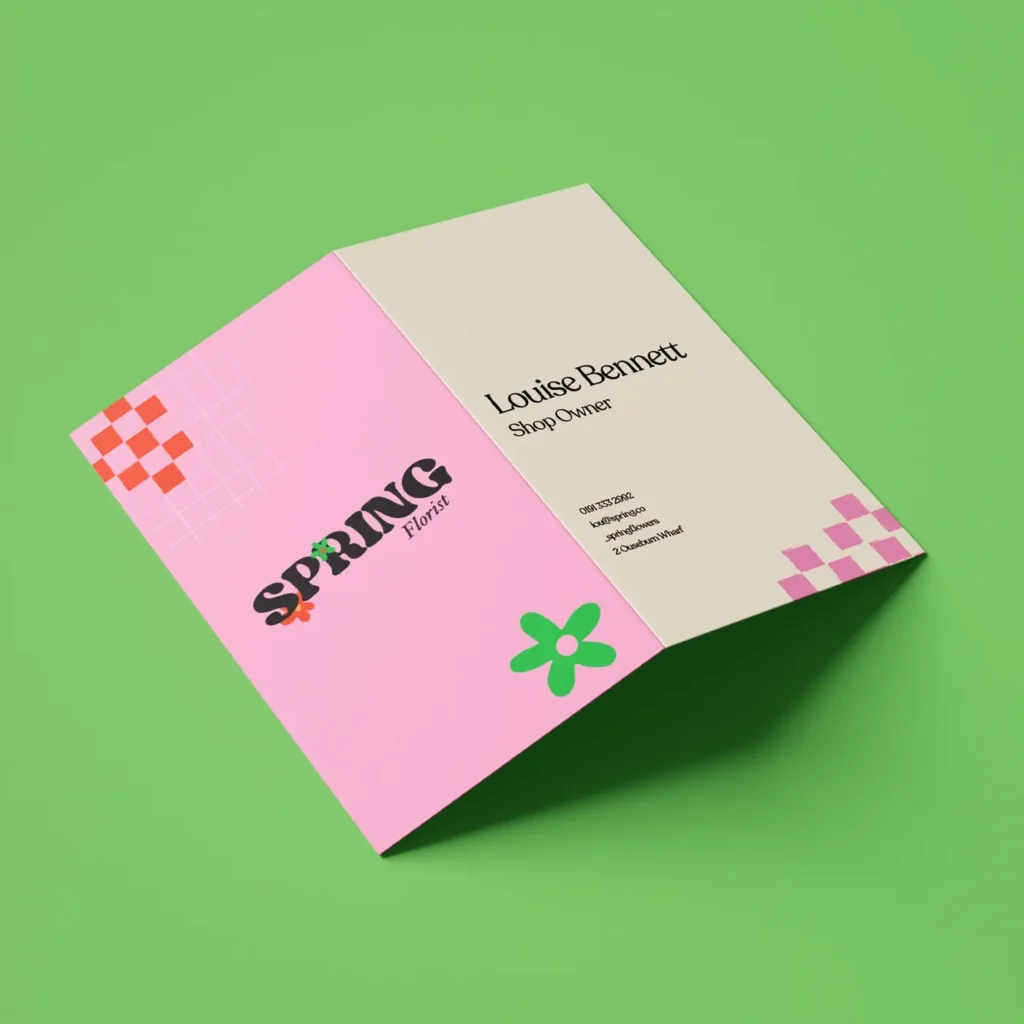
The most popular option. Clean, classic, and versatile, flat Business Cards work well for any industry or brand style.
Folded Business Cards
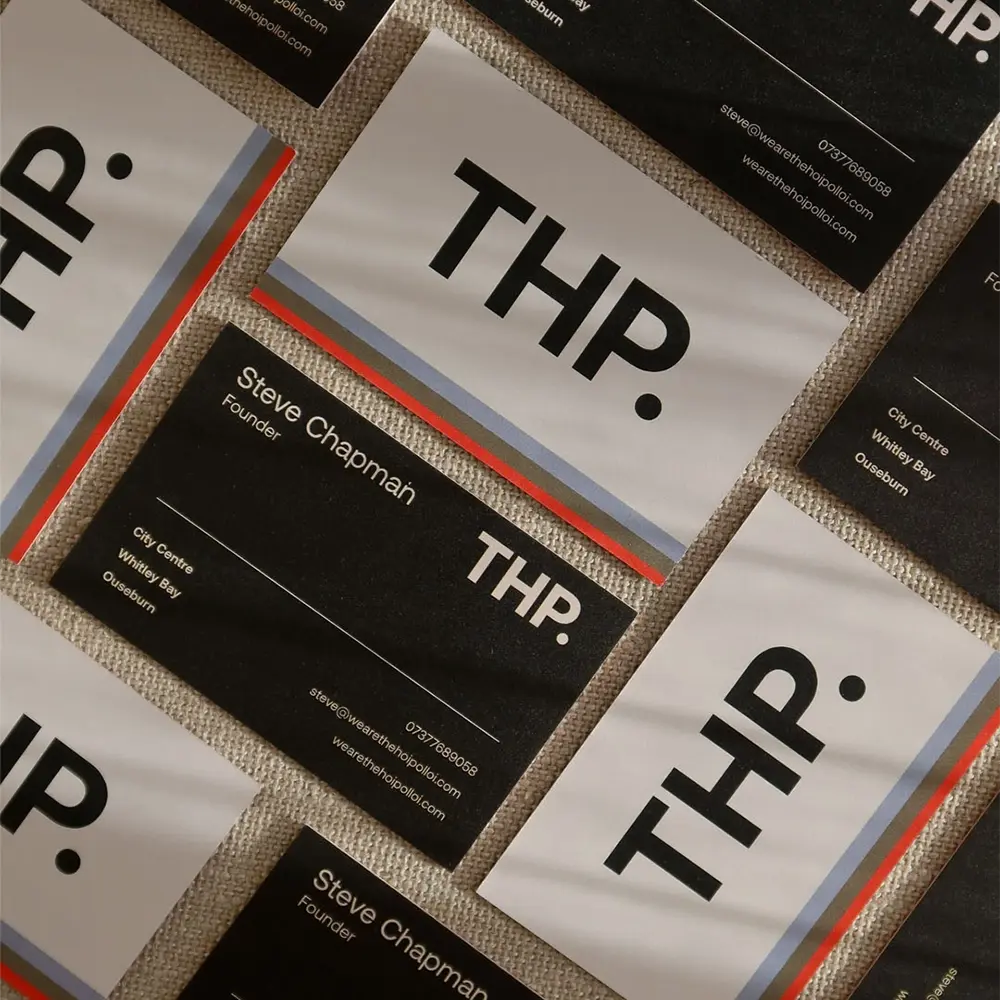
Available in two flat sizes, 170mm x 55mm and 110mm x 85mm, Folded Business Cards give you extra space for information, pricing, or a mini portfolio. Great for creatives, therapists, or anyone who needs a bit more room to communicate their offering.
Mini Business Cards
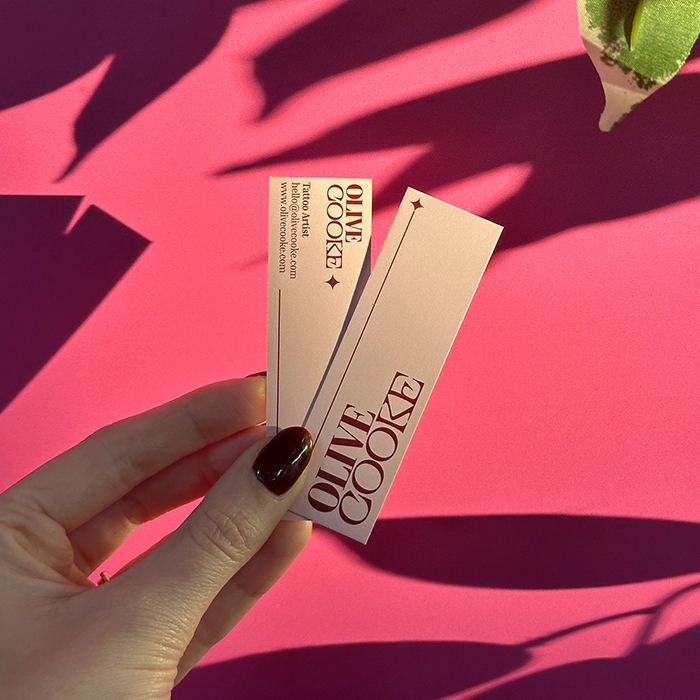
At 85mm x 25mm, Mini Business Cards are compact and eye-catching. They’re perfect for brands that want something a little different, and work particularly well as loyalty cards or product tags.
What shapes can you choose for Business Cards?
Beyond the standard rectangle, Printed.com offers several shape options to help your card stand out:
- Standard Rectangle – Timeless and professional
- Square (55mm x 55mm) – A bold, symmetrical alternative
- Long (90mm x 55mm) – Sleek and modern
- Mini (85mm x 25mm) – Small but mighty
- Upper Arch, Lower Arch, or Double Arch – Elegant curves for a distinctive look
- Wavy – Playful and creative
Round Corners
You can also add round corners (5mm radius) to most sizes for a softer, contemporary finish. And the best part? You’re in control! You can choose exactly which corners you’d like to round, choose to round all four corners for a consistently smooth look or select just one corner to create a more unique, eye-catching design. Just keep any design elements away from the edges when using rounded corners.
What paper stocks are available for Business Cards?
Paper choices
Choosing the right material shapes how your card feels in the hand and that first impression matters. Some popular choices include:
- Uncoated – A flat, modern finish with a soft, touchable texture. Because there’s no surface coating, it’s easy to write on, which makes it ideal for cards where a personal touch is useful.
- Tearproof – 100% waterproof and tearproof, this stock is built for cards that need to handle some rough treatment. Brilliant for trades, outdoor industries or anyone working in wet or messy environments.
Want your business details to stick around — literally? Consider a Magnet Business Card instead. They attach easily to fridges and metal surfaces, making them a great option for local service businesses like plumbers, pizza places and dog groomers who want to stay front of mind at home.
Paper Weight
Paper weight affects how substantial your card feels. Printed.com offers options from 240gsm to 810gsm:
- 240–250gsm – Lighter stocks like Cream Flecked (240gsm) and Cotton (250gsm) offer a distinct texture and a softer, more organic feel.
- 400gsm – The most popular choice. Uncoated or silk at 400gsm strikes the right balance between weight and practicality.
- 810gsm – Lux paper. This triple-layered paper choice will create the thickest and most premium option available, with a choice of core colour sandwiched in the middle for a striking edge effect.
What lamination options are available?
Lamination protects your card and adds a tactile finish that people notice. Options include:
- None – Let the paper speak for itself
- Matt – A smooth, low-sheen finish that feels refined and modern
- Glass – A high-gloss coating that makes colours pop
- Velvet – Soft and luxurious to the touch, often used on premium cards
- Anti-Bacterial – A hygienic finish, ideal for healthcare or food industry professionals
What Special Finishes can elevate a Business Card?
Once you’ve settled on your stock and lamination, special finishes are where you can really add personality:
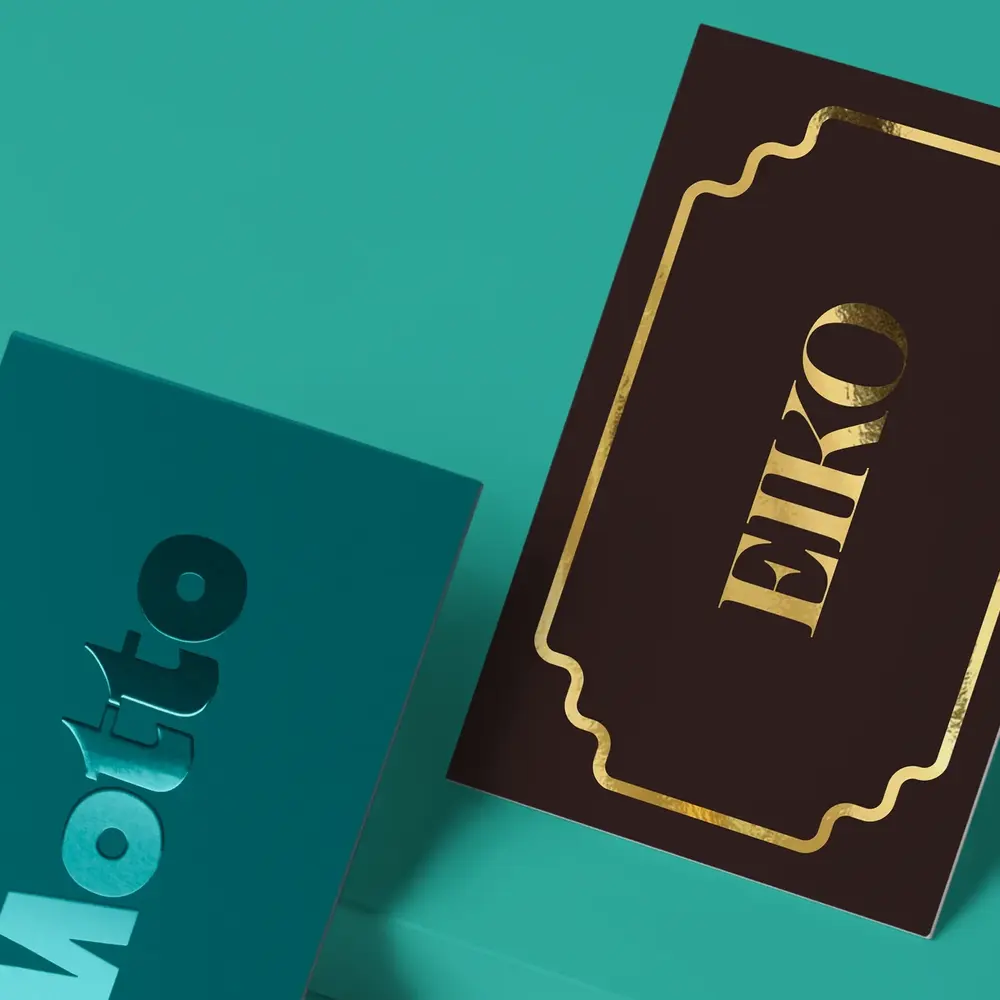
- Foiling – Metallic or holographic foil applied to specific design elements. Instantly premium.
- Spot UV – A glossy coating applied selectively over a matt laminate for a striking contrast effect.
- Emboss & Deboss – Raised or recessed textures pressed into the card. Available via bespoke order only.
These finishes work best when used intentionally, on a logo, a name, or a key visual element, rather than across the entire card. Curious to learn more? Head over to our Special Finishes Hub.
What should you include on a Business Card?
Getting the design right is just as important as the print spec. A strong Business Card is clear, readable, and easy to act on. Here’s what to consider:
Key details to include:
- Your full name and job title
- Company name and logo
- Phone number and email address
- Website URL
- Social media handles (if relevant to your business)
Keep the layout clean. Cramming in too much information can make a card feel cluttered and hard to read. Prioritise the details someone would genuinely need to get in touch with you.
Business Card bleed and safety line guidelines
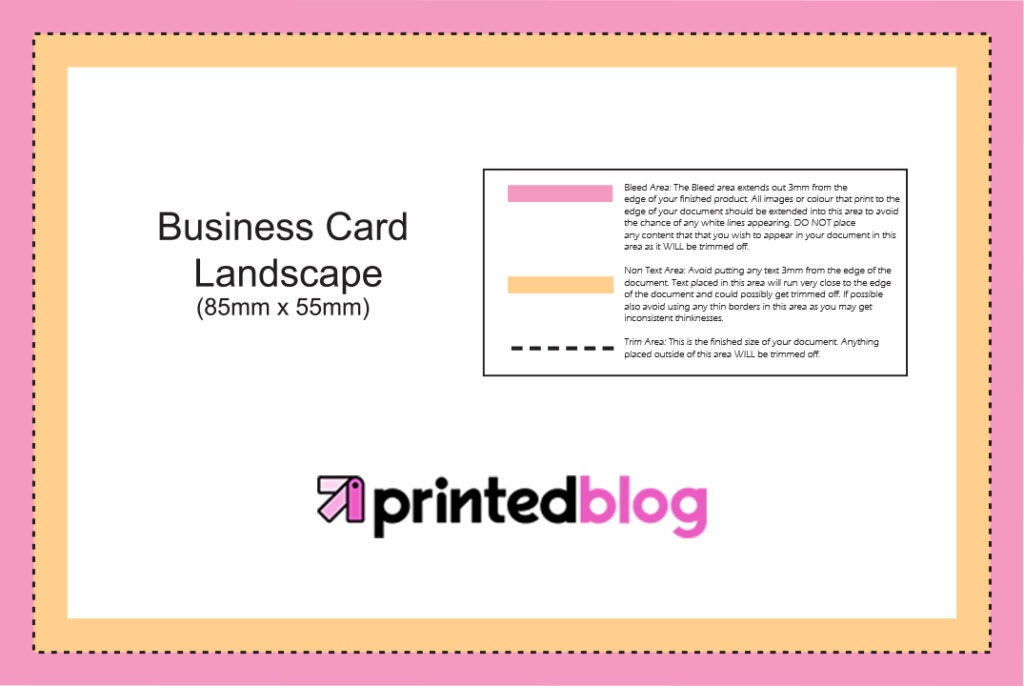
When setting up your artwork, always add a 3mm bleed area around all edges. This means extending your background colour or design elements 3mm beyond the trim line, so there are no white borders if the card is cut slightly off-centre.
Equally important: keep all essential text, logos, and key design elements at least 3–5mm inward from the trim line. This is known as the safety line. It prevents anything critical from being accidentally clipped during cutting.
Most design software will allow you to set up guides for both bleed and safety lines before you start. Getting this right before you submit your artwork avoids delays and ensures your cards look exactly as intended. Need further help? Our What is Bleed in Printing guide covers everything you need to know.
Can you print multiple designs at once?
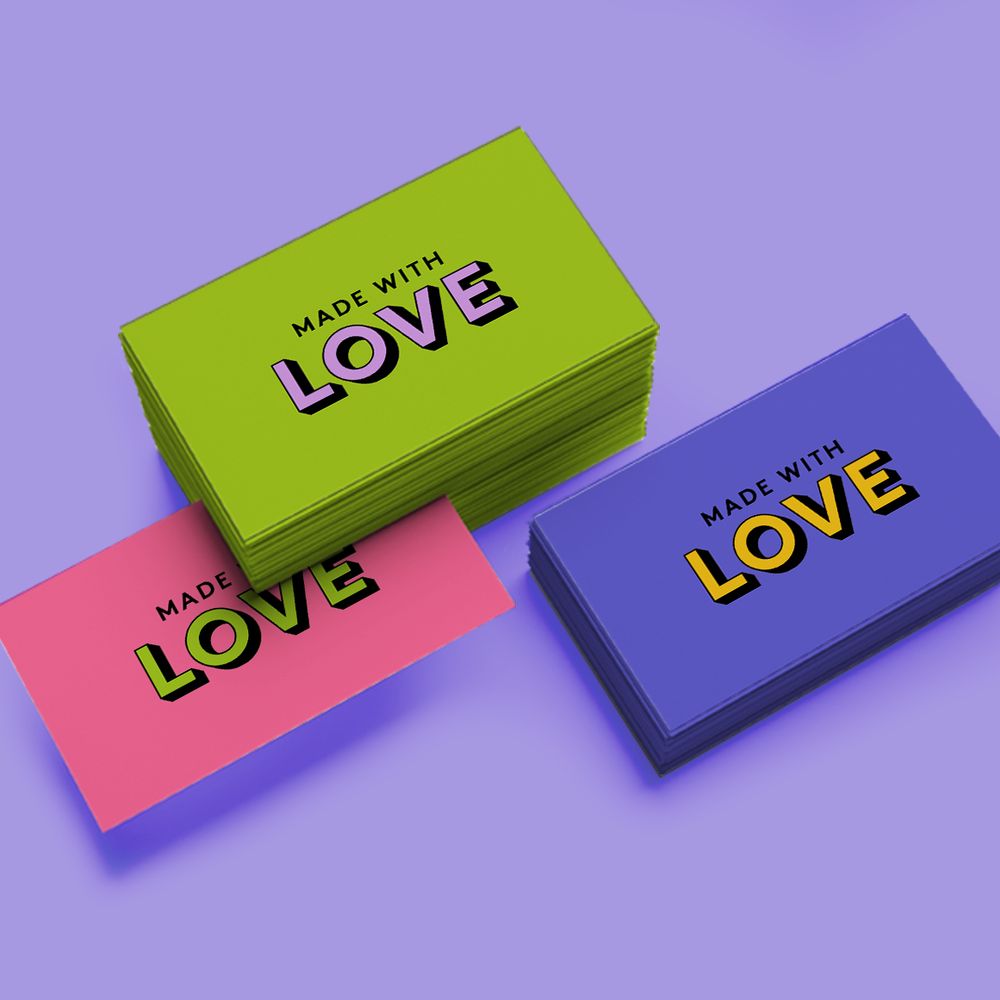
Yes, and it’s a smart way to save money. Printed.com’s Versions service lets you print multiple designs using the same product specifications in a single order.
For example, if five team members each need their own card but you’re all using the same size, paper stock, and finish, you can order them together as one job. Because you’re increasing the total quantity, the cost per unit drops, so everyone gets better value.
To use Versions, select “Yes” when prompted with “Do you want to print more than one design?” in the product builder. The quantity you enter applies to each design individually. So if you choose 50 cards with 5 versions, you’ll receive 250 cards in total.
Make the most of your Business Card printing
A Business Card is a small thing, but the details matter. Choosing the right size, shape, stock and finish isn’t just about aesthetics, it’s about making sure your card reflects your brand accurately and leaves the right impression.
Start with what you know: your budget, your brand identity, and how you plan to distribute the cards. From there, the options here should give you everything you need to make a confident decision. And if you’re ever unsure, the Printed.com team is always on hand to help.
Other frequently asked questions
What is the standard size for a Business Card in the UK?
The standard UK Business Card size is 85mm x 55mm. This matches the dimensions of a credit card, making it easy to store in a wallet or cardholder.
What is the best paper weight for Business Cards?
400gsm is the most popular choice and offers a solid, professional feel without being overly heavy. For something lighter and more textured, Cream Flecked at 240gsm or Cotton at 250gsm are good alternatives. For maximum thickness and impact, Lux at 810gsm is the premium option.
What is bleed on a Business Card and why does it matter?
Bleed refers to the extra 3mm of design that extends beyond the trim line on all edges. It prevents white borders from appearing if the card is cut slightly off-centre during production. Always set up a 3mm bleed when preparing your artwork.
What is a safety line on a Business Card?
A safety line is an invisible boundary set 3–5mm inside the trim line (also known as the ‘non-text area’). Keep all essential content, your name, logo, and contact details, within this boundary to make sure nothing gets accidentally clipped during cutting.
What lamination is best for Business Cards?
Matt lamination is the most popular choice and works well across most card types. Glass (gloss) lamination makes colours appear more vibrant. Velvet lamination adds a premium, soft-touch feel. The right choice depends on your brand aesthetic and how you want the card to feel in hand.
How many Business Cards should you order?
50 Business Cards is a good number to start with, enough to give you a few to test in various situations and locations. As a general rule, the more you order, the cheaper each card becomes. Unit price drops significantly at higher quantities, so it’s worth thinking ahead. If you know you’ll need more cards in the next six months, ordering a larger batch now is usually more cost-effective than placing two smaller orders.
What special finishes are available for Business Cards?
Printed.com offers foiling, spot UV, and (via bespoke order) embossing and debossing. These finishes can be applied to specific design elements, like a logo or name, to create contrast, texture or a premium metallic effect.
What information should I put on a Business Card?
At minimum, include your name, job title, company name, phone number, and email address. A website URL and relevant social handles are also worth including. Keep the layout clean and avoid overcrowding, a clear, readable card is more effective than one packed with information.
What is the difference between uncoated and silk paper for Business Cards?
Uncoated paper has no surface coating, giving it a soft, natural texture that’s easy to write on. Silk paper has a smooth, semi-gloss finish that makes colours appear richer and more refined. Silk is often preferred for image-heavy designs, while uncoated suits minimalist or craft-style aesthetics.

About the author
When she’s not perusing the factory or planning our next product launch, you’ll find Emma doing some form of exercise. Whether it’s her favourite gym class or a walk around Northumberland with friends, she loves keeping fit!

